Bar ordering app for hotel staff to manage service and invoicing at an Austrian ski resort

Sector

Hospitality

Challenge

Seasonal bar staff were taking drink orders on paper, storing them in a drawer during service, then pricing and tallying everything manually at the end of the night. This lead to lost drink orders, billing errors and many disputes. I designed and built an app that let multiple barmen take orders by room number, track them by table, and close bills with automatic totals emailed to reception. The pilot ran in one dining hall while two others stayed paper-based. At end of service, the contrast was clear: stacks of paper slips waiting to be priced versus bills already done.

My Role

End-to-end design and development

Constraints

Multiple barmen working simultaneously taking orders by room number, rooms assigned to tables across 3 dining halls depending on the day and used under pressure in service — UI needed to feel efficient not decorative.

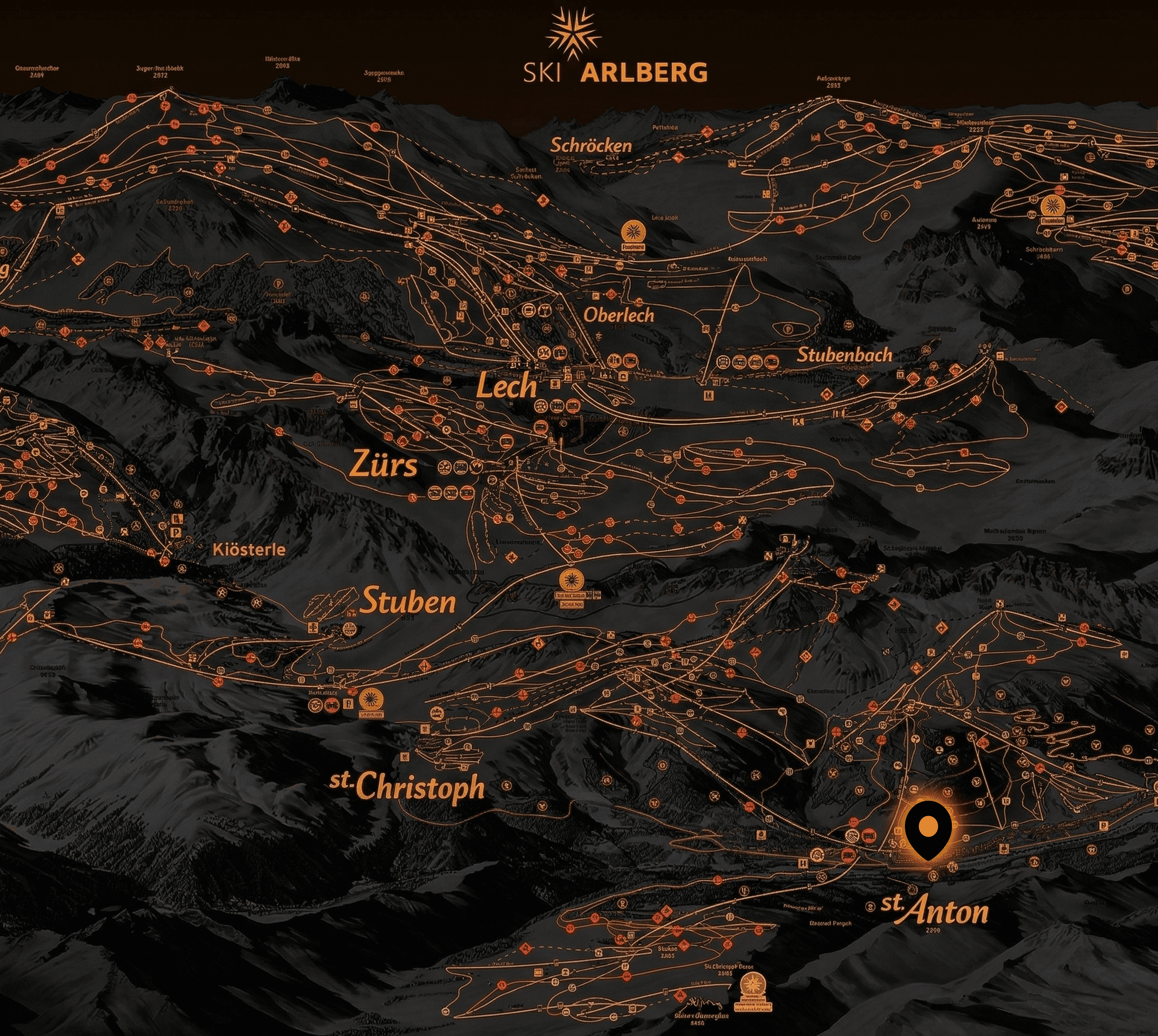
01 Working a seasonal bar in St Anton, Austria.

Context

While on a gap year I worked a seasonal job as a bartender at a hotel in one of the most popular ski resorts in Austria.


The hotel featured a bar and three dining rooms, with multiple bartenders handling orders and managing service each day.

Operating in German, English, Italian and even Serbian.
02 Service was a fight to survive and rarely silver

The Problem

The Problem

The hotel used a paper-based ordering system, with a manual cash register operated by seasonal staff with a high churn.

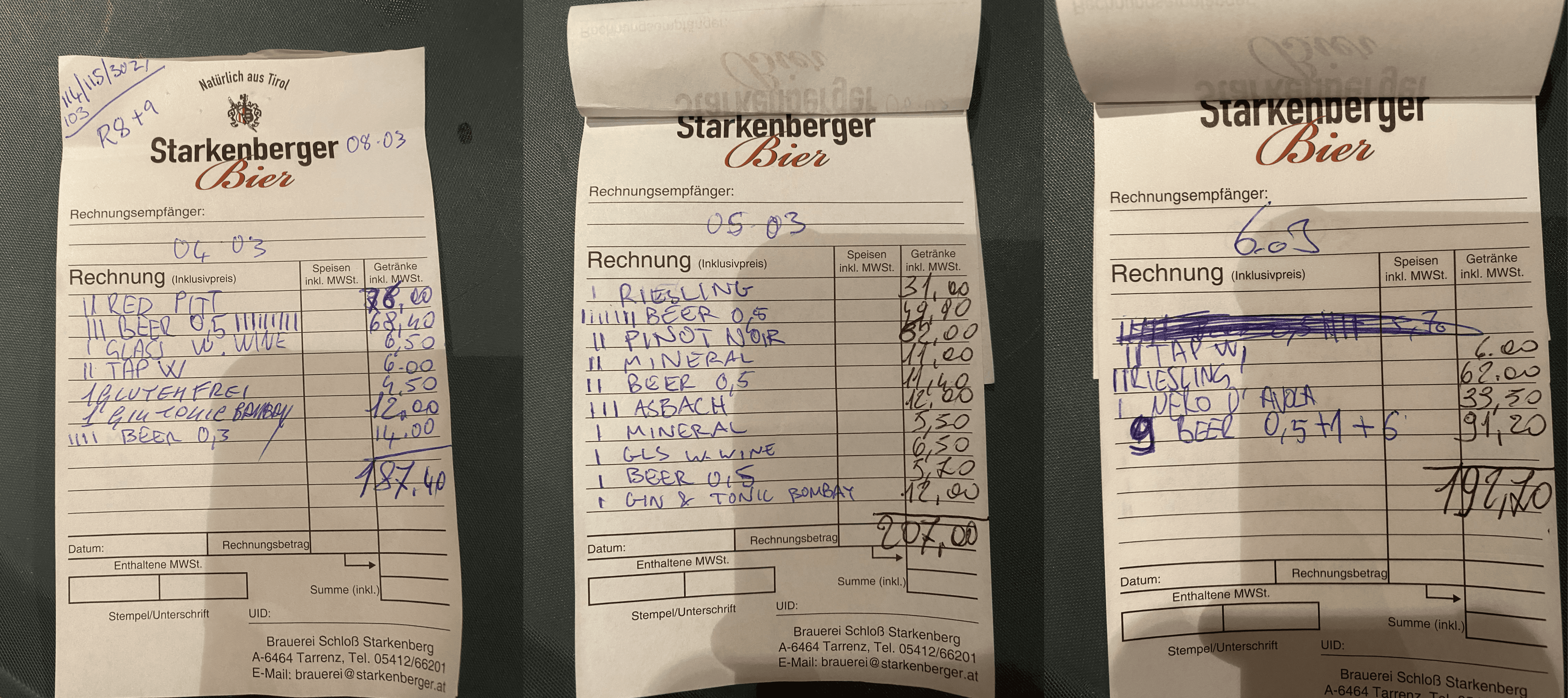
In slow times, the system functioned. Guests came to the bar, staff took their order and recorded it with the guest's room number on a notepad (above) and stored in a drawer.

However, during peak hours you had multiple bartenders taking drink orders, both table side and at the bar, then making them and serving them. We scrambled to find the right notepads, forgot to write orders down, recorded the same order twice. Service was a fight to survive and rarely silver.

The focus shifted from looking after guests to arguing about orders and making up for mistakes. After service it was no better. Closing duties meant tallying up all of the orders and bills per table by looking at the menu and pricing each item individually. After 10 hour shifts, reading scribbled handwriting and doing arithmetic by memory becomes its own source of mistakes, and when the guests went to settle their bill disputes arose.

The system was incredibly inefficient and broke under pressure. I felt there was something we could do about it. I knew the problem from the inside. That made it hard to ignore.
03 Designing for operational constraints and rigid workflows
Constraints

Constraints

Reception printed a room assignment sheet each day mapping guests to tables for dinner service, but it was a general guide — arrangements shifted constantly and multiple rooms could share a table.

Staff rotated between halls depending on the day, so every table, order and room assignment needed to be visible to whoever was on shift. The drinks list existed only in physical form, so I built a database with every item and its price to automatically calculate bills.


The key thing was for this to work it needed to fit existing operational workflows, and not create new obligations.

Reception printed a room assignment sheet each day mapping guests to tables for dinner service, but it was a general guide — arrangements shifted constantly and multiple rooms could share a table.

Staff rotated between halls depending on the day, so every table, order and room assignment needed to be visible to whoever was on shift. The drinks list existed only in physical form, so I built a database with every item and its price to automatically calculate bills.

The key thing was for this to work it needed to fit existing operational workflows, and not create new obligations.

04 Shipping a working MVP using low-code

The Solution

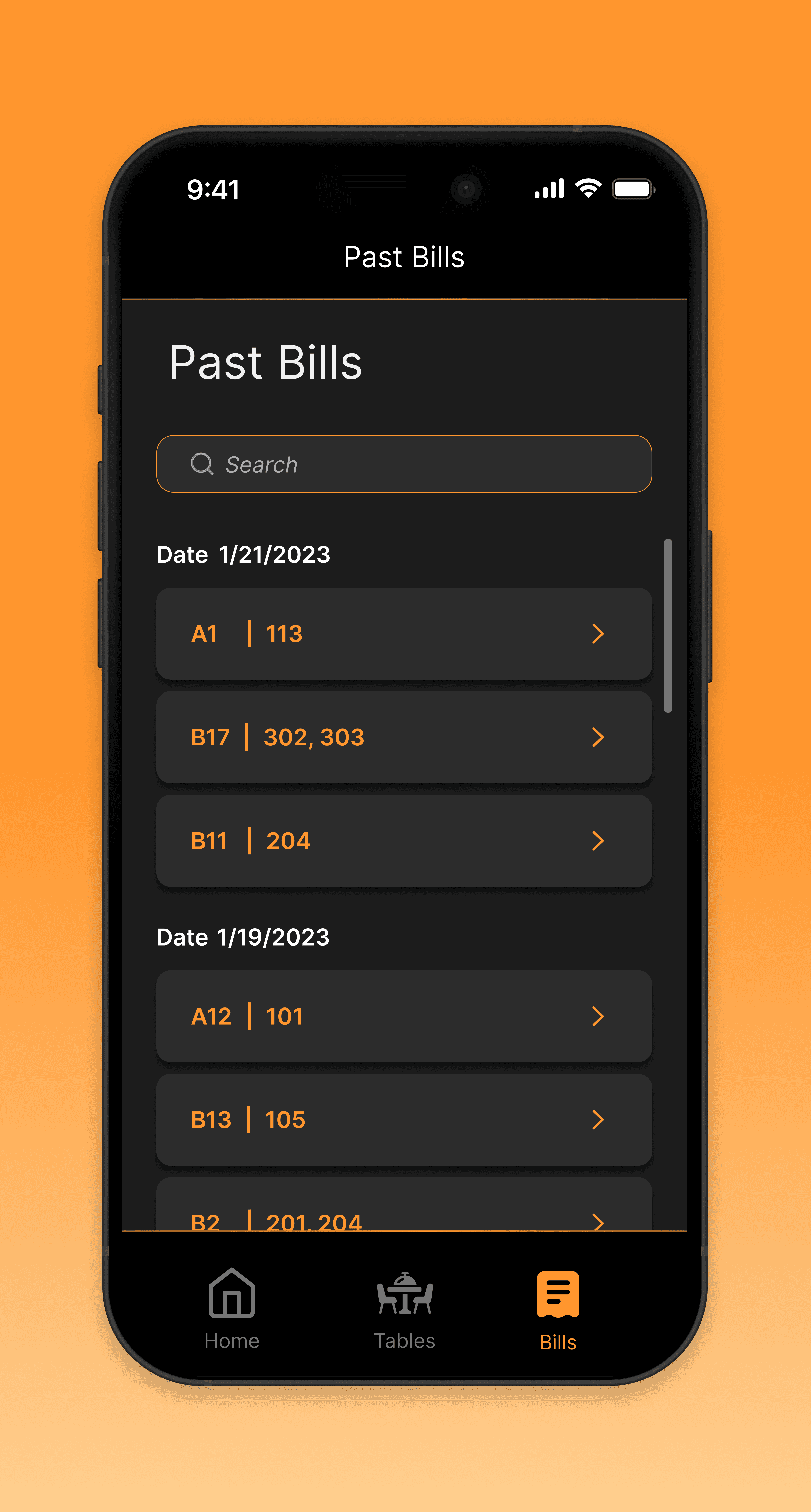
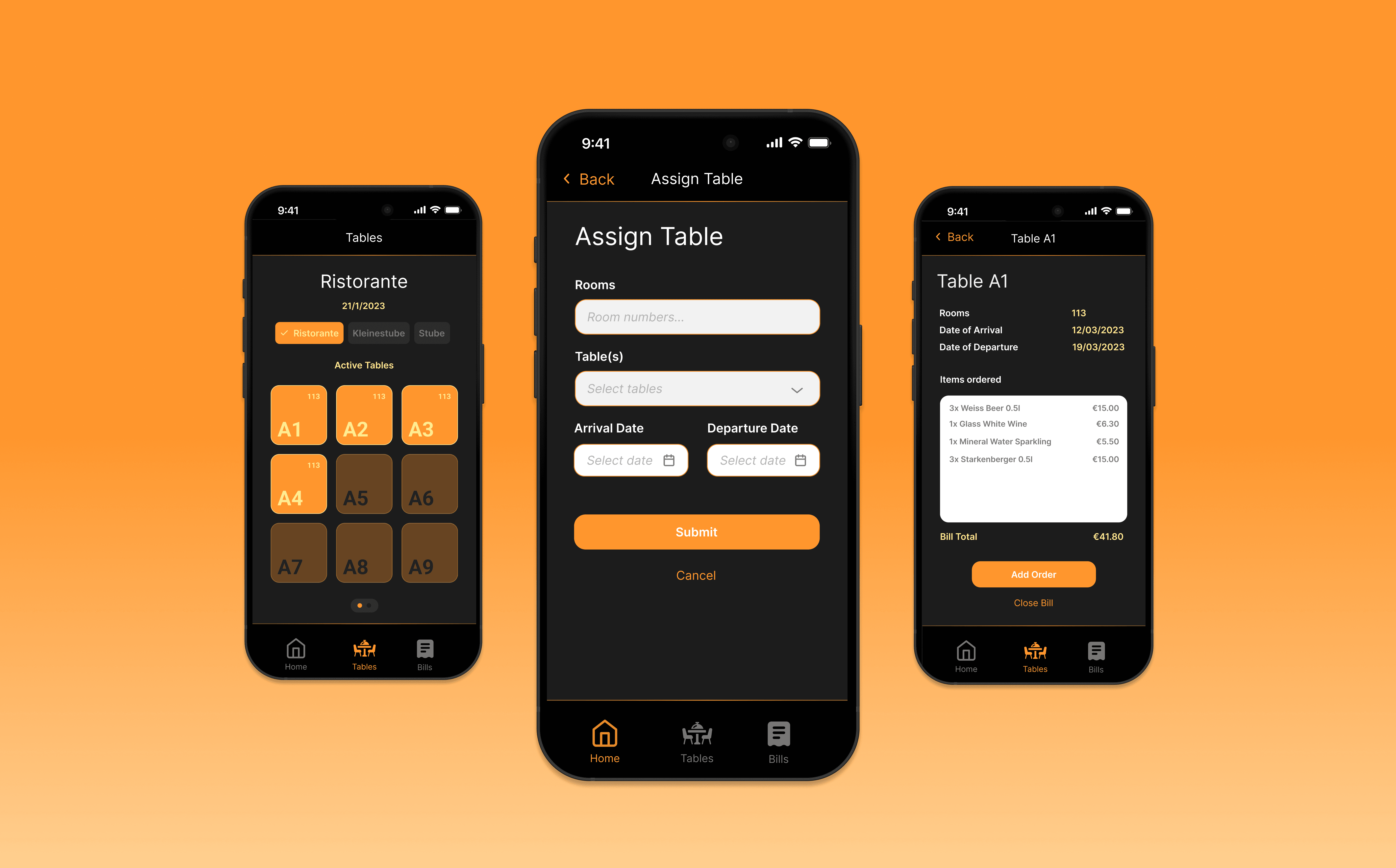
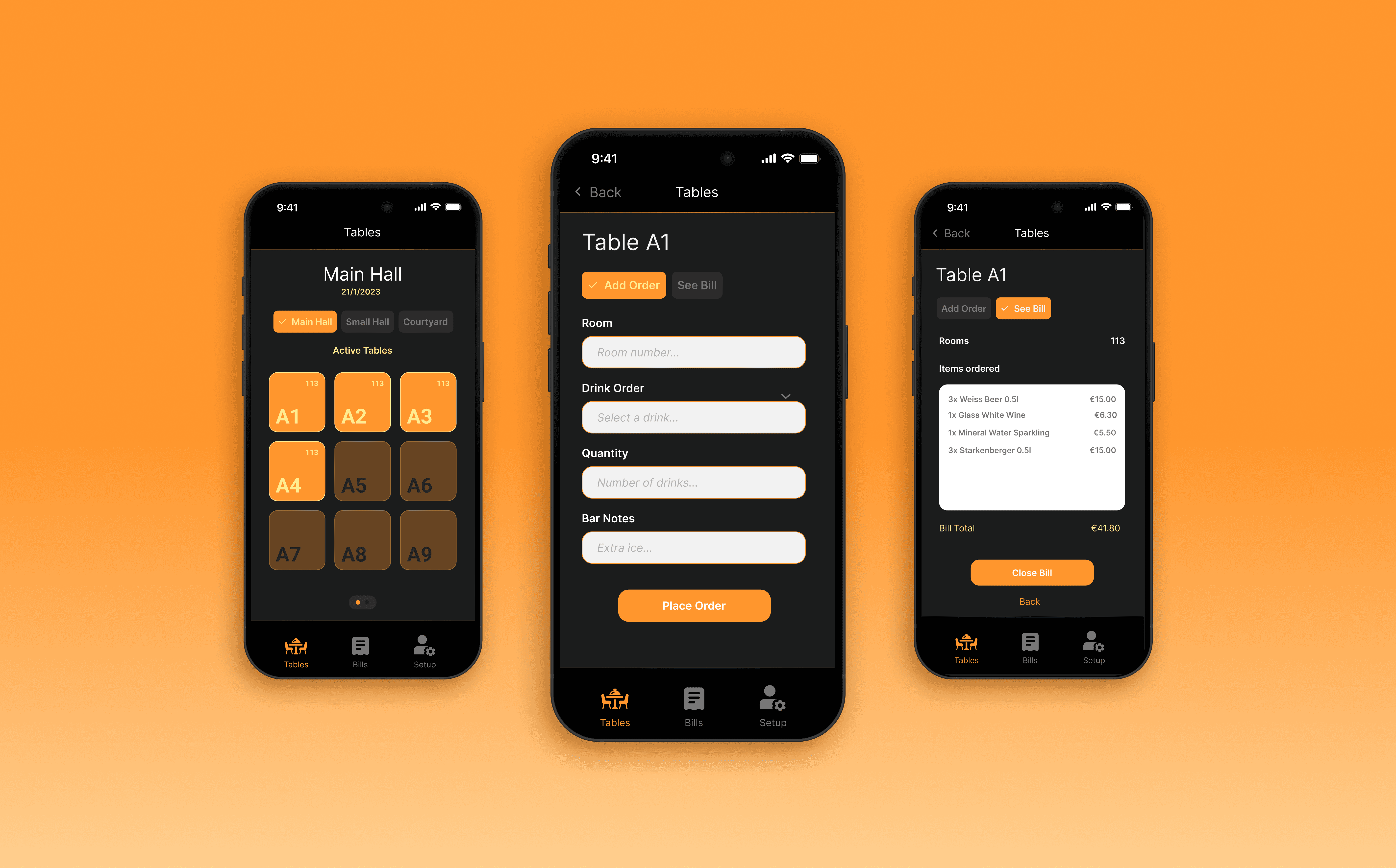
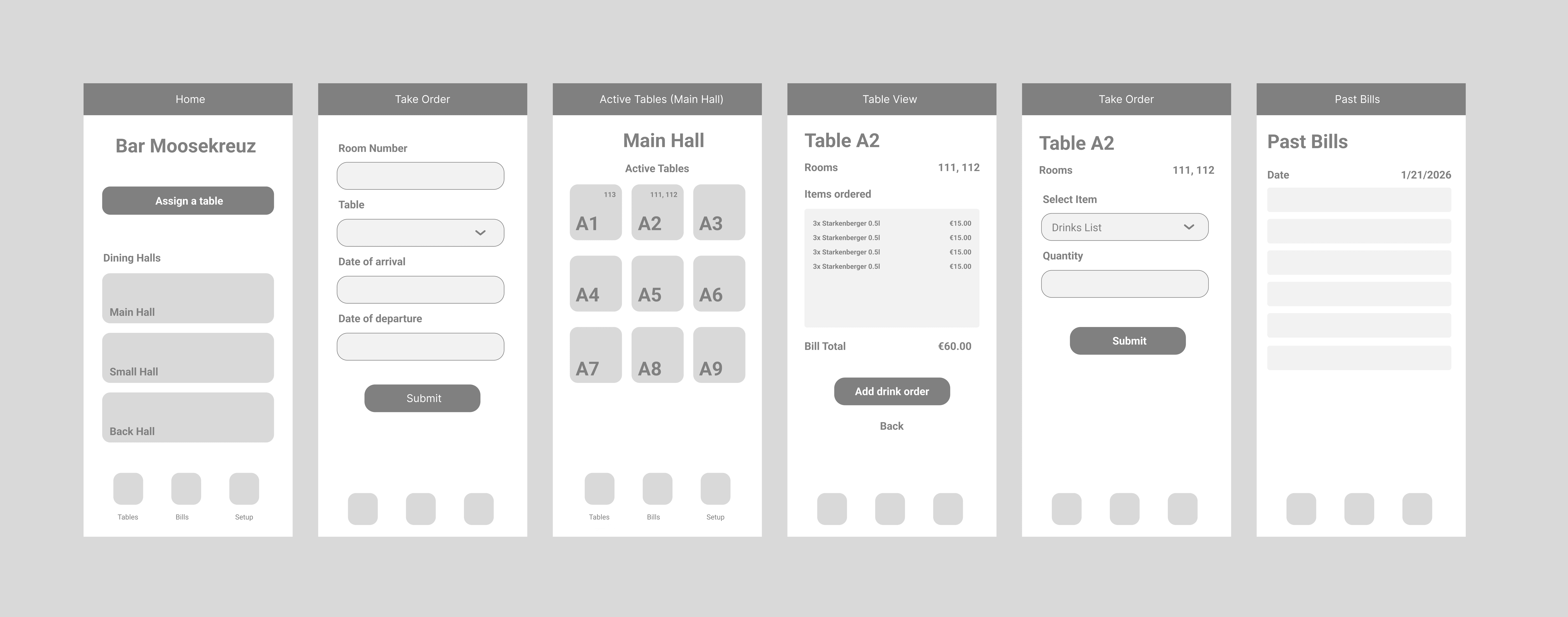

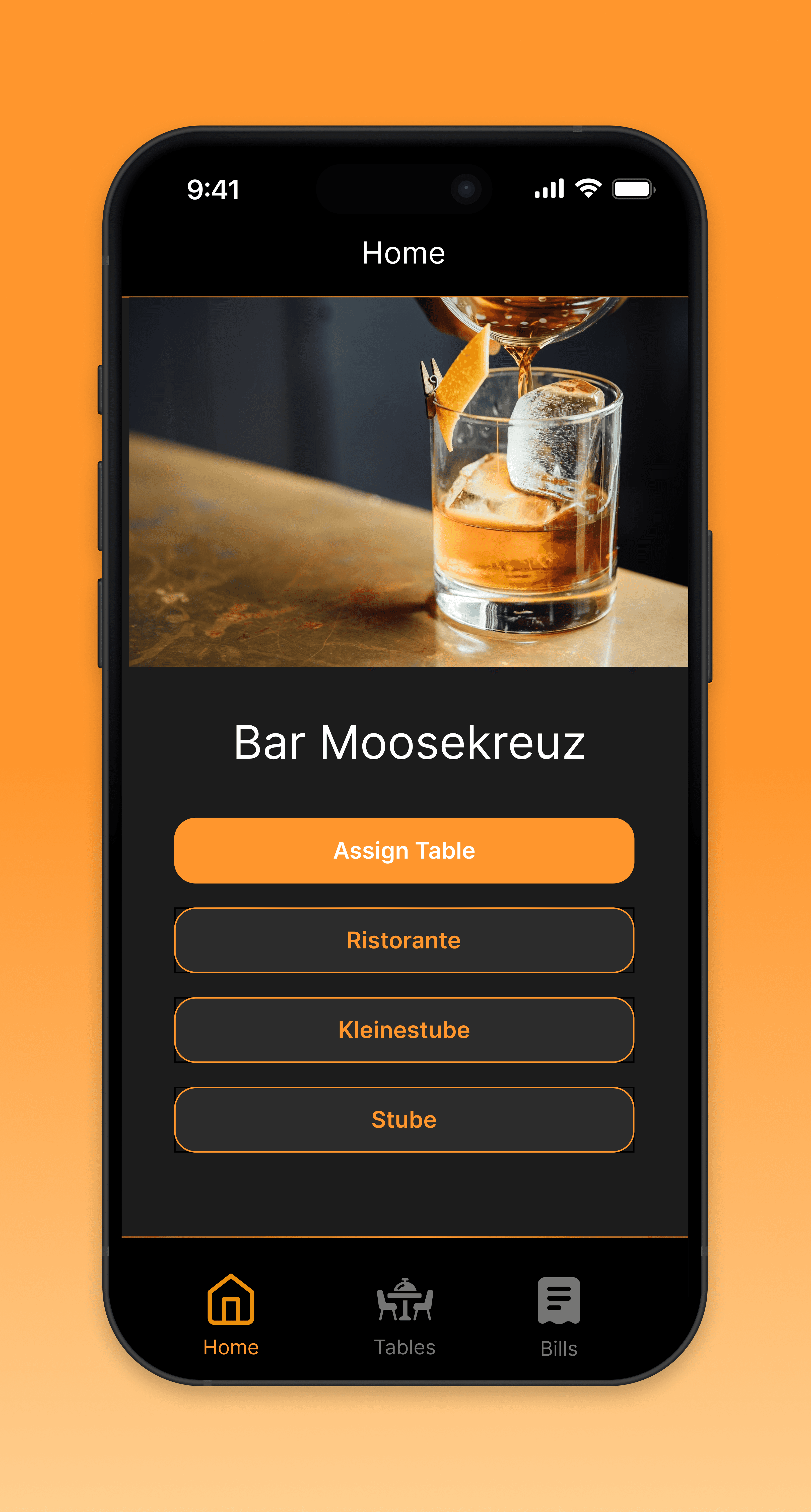
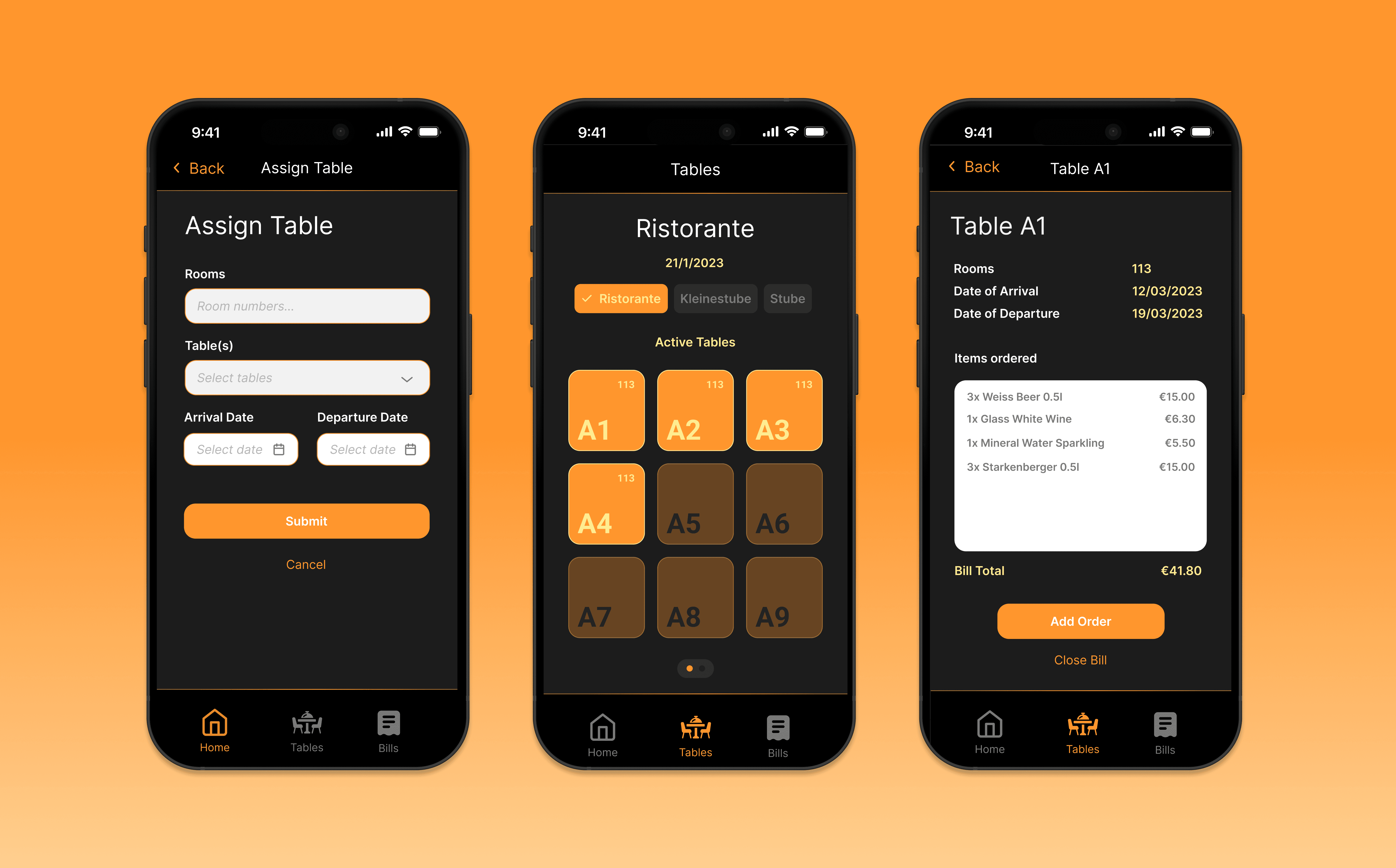
I developed a working system that allowed bartenders to assign rooms to tables pre-service and change them if needed. A view showing each dining hall with active tables and the rooms as identifiers reflecting the physical reality of service, enabling staff to quickly locate relevant tables during service.

To add an order you tap the table, select the drink from a dropdown menu, and add the quantity. Bills were then automatically calculated and when guests were ready to settle, staff tapped the table and hit close bill — which sent an email to reception with the full bill in PDF format.

Process

Low-code prototype → real database → deployed and tested during service.

Tech Stack

Glide Apps (Interface) + Google Sheets (Database) + Zapier (Automations)
05 The moment it worked

Pilot Implementation

The project began with a clear business case and evolved into a deeper lesson in sequencing, systems design, and behavioural clarity.

After several conversations with the manager, I had permission to test it in one of the dining halls during service.

The system ran smoothly — both myself and my colleague had the app on our phones and placed orders for the Stube, while the other halls remained paper-based. The stack of notepads from the other two dining halls that still needed to be priced and tallied, compared to the digital list of neatly calculated bills, provided a clear visual representation of the efficiency gain.

In one hall, the shift was done. In the others, you still had to audit the events of the night.

  • Quantifying financial leakage created alignment and secured buy-in.

  • Structuring performance into a visible weekly workflow improved intervention consistency.

  • The WhatsApp automation — the highest-leverage component — should have shipped earlier.

  • Strong technical foundations are critical when building automation-dependent systems.

05 Building & selling are two different problems

Reflections

While initially focused on corrective action, the system has the structure to support more balanced and empowering feedback.

  • Introduce positive reinforcement through automated recognition or bonuses.

  • Deliver contextual training alongside performance warnings to enable self-correction.

  • Localise communication to improve clarity and fairness across a diverse workforce.

One thing I'd build into the next iteration is user-level tracing — logging which bartender placed or modified each order. In a multi-user system operating under pressure, accountability matters. I left it out of the first version intentionally, because that was a different problem.


This was a promising solution that unfortunately came at the wrong time with the wrong buyer. The season was near its end and management were not interested in taking it further, with eyes on the upcoming break and set in their ways. "We have done this for 25 years so it is how we will continue to do things" was the response I received.

I learned three things:

  1. Timing matters.

  2. Buy-in matters more.

  3. Building and selling are two different problems.

Take learnings, and create better outcomes.

Want to find out more?

Lets connect.

Want to find out more?

Lets connect.